Some friendly advice to avoid any potential user errors with the "Sandbox (SB)" and “Release Preview (RP)” user options available as a role. As it can go easily unnoticed, we have had instances where work is being done under either a “Release Preview” or “Sandbox” role and there are a few recommended tricks to help avoid such instances in a future.
If your account currently utilizes a “Sandbox” or showcases the “Release Preview” we recommend you do as follows (if not already done):
- Change the color theme to something that will stand out to help alert you that the role is different from what you are used to.
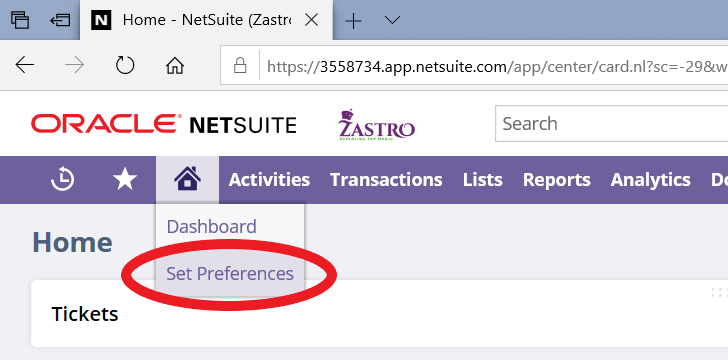
- Instructions: Hover over the House icon and select “Set Preferences,” change the tab to “Appearance” and select a new “Color Theme”

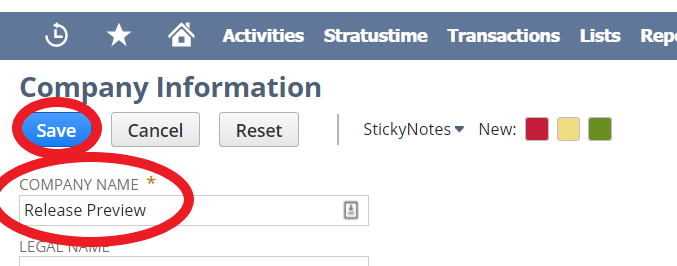
- Change of the company name to help avoid accidentally clicking a different role than intended.
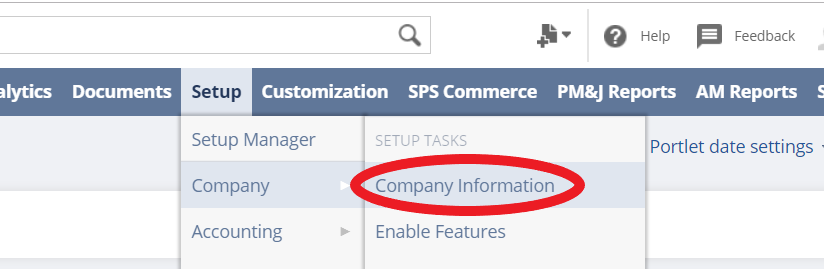
- Instructions: Go to “Setup” then “Company” and “Company Information.” Changing the “Company Name” here will be specific to the role you are logged into.
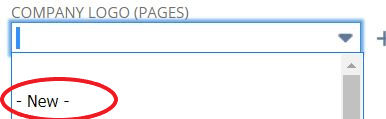
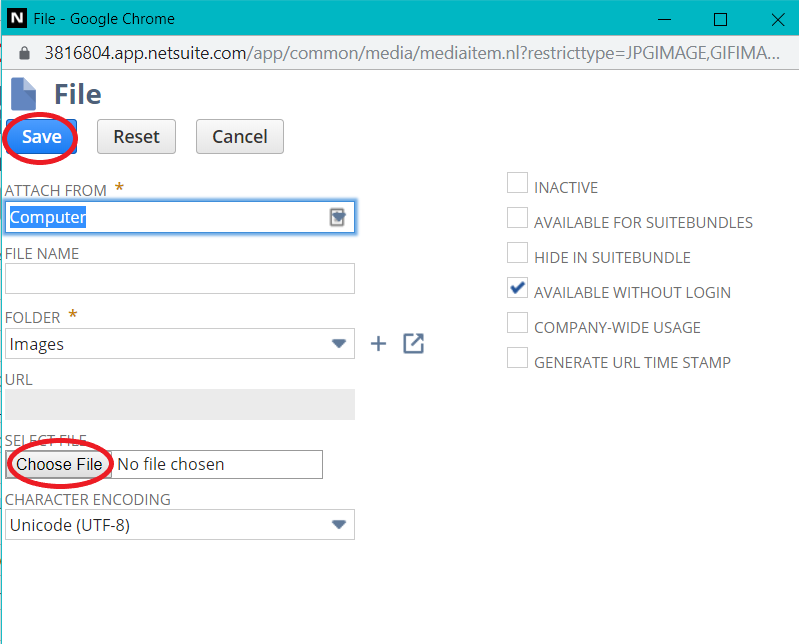
- Change the company logo to give yet another indicator that the role the user is in, is not the main account.
- Instructions: Go to “Setup” then “Company” and “Company Information.” The field to be changed is “Company Logo (Pages)” which will display all logo images uploaded to the file cabinet.
If you refresh your sandbox, these steps will have to be redone.
We hope this helps and will continue to provide you tips and tricks as we hear feedback of NetSuite changes that could be beneficial for everyone.